Everything VueBrick does, in the order you would use it.
Scan it, see what it is worth, work through the pile, and get it listed. Quick Scan and the CMF Scanner are free. The rest is VueBrick Pro, with 14 days free to start.
Scan and identify
Point the camera at LEGO. VueBrick recognizes the item and pulls up its catalog entry. When a match is not certain, it shows alternates so you pick instead of typing part numbers into a search box.
One item, instant ID and price. No session needed.
Reads the Data Matrix code on sealed Collectible Minifigure boxes.
Not the right one? Tap Swap to pick another match, or report a bad scan.
Parts, minifigures, sets, and polybags in one session, in any order. Each item gets its own result, price, and condition.
Narrow the scanner to Parts, Minifigures, or Sets for a run of one kind, or when an item comes back as the wrong kind.
Parts priced by color, with a color lock for a bin of one shade.
Stage up to 100 items in a batch, review matches and quantities, merge duplicates, then save them all.
Rapid auto-capture. Items are identified as fast as you can point the camera at them.
Know what it is worth
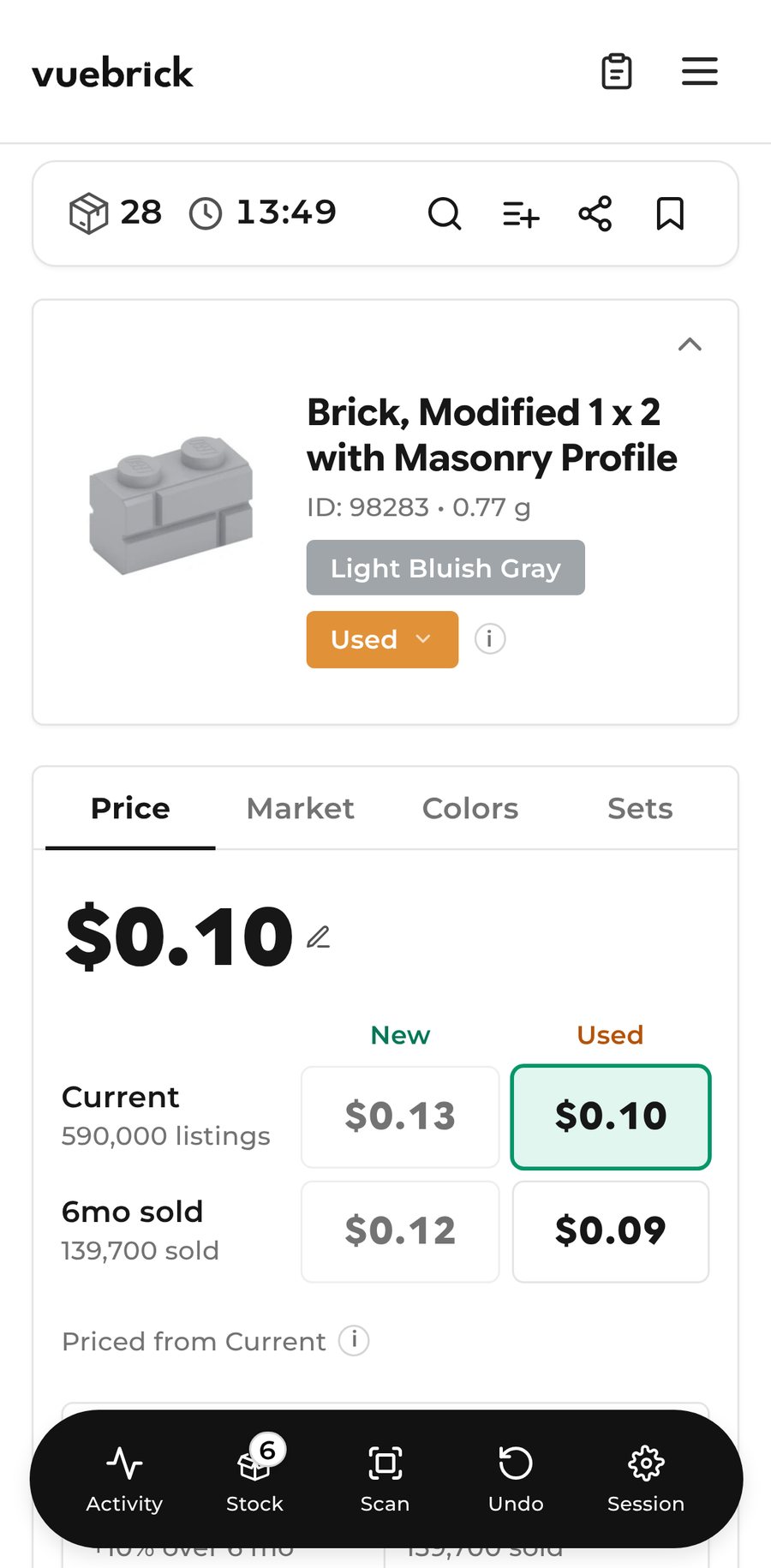
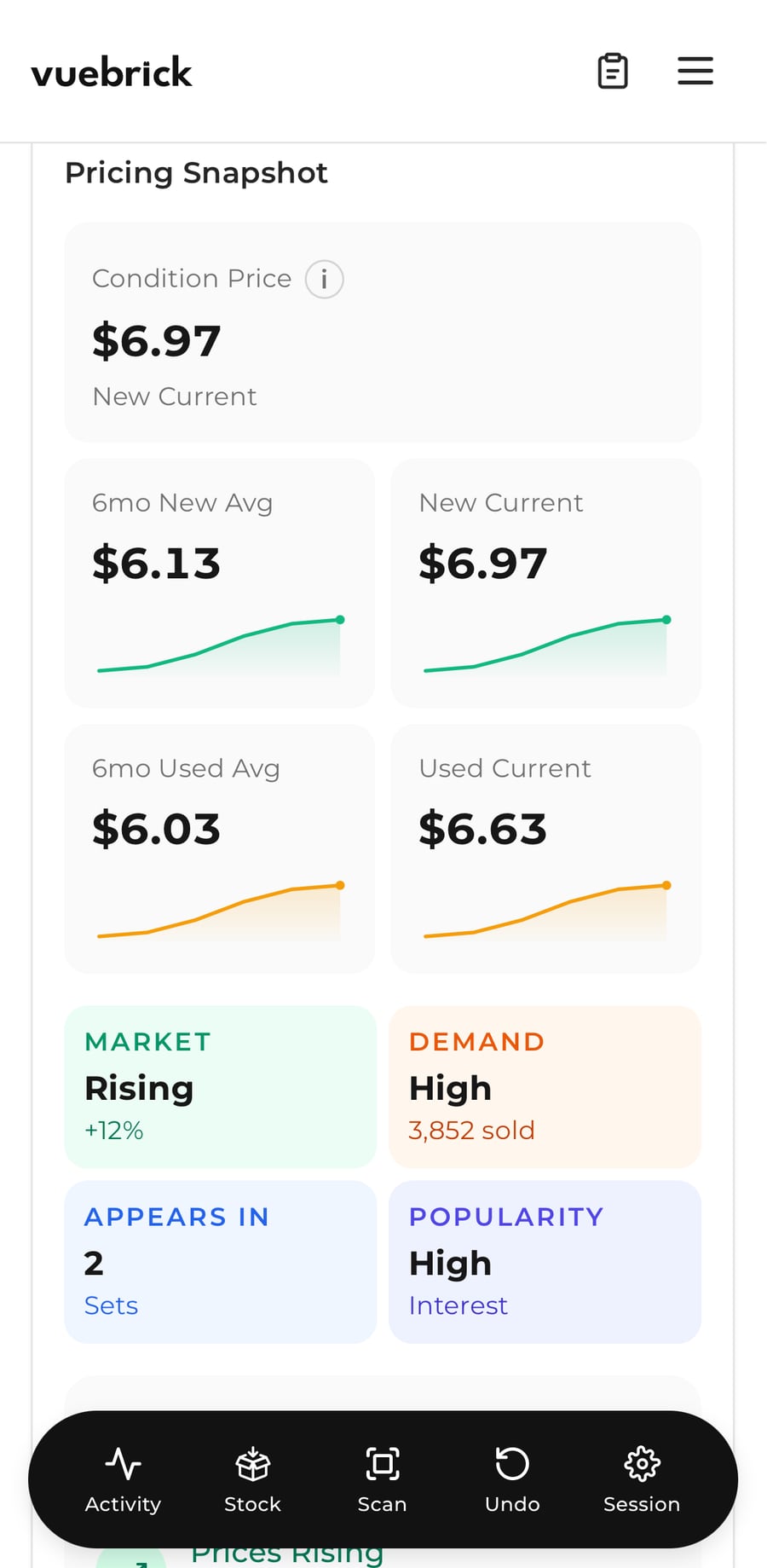
Pricing comes from BrickLink market data, in the market and currency you sell in. Set the condition and the number updates. With Pro, a scan is not just a price: it is a full market analysis of that part, minifigure, or set.
Work through the pile
A session is the container for a pile of parts, figures, or sets. Start one, scan until you are done, and everything is tracked along the way: what you found, what it's worth, and how long it took.
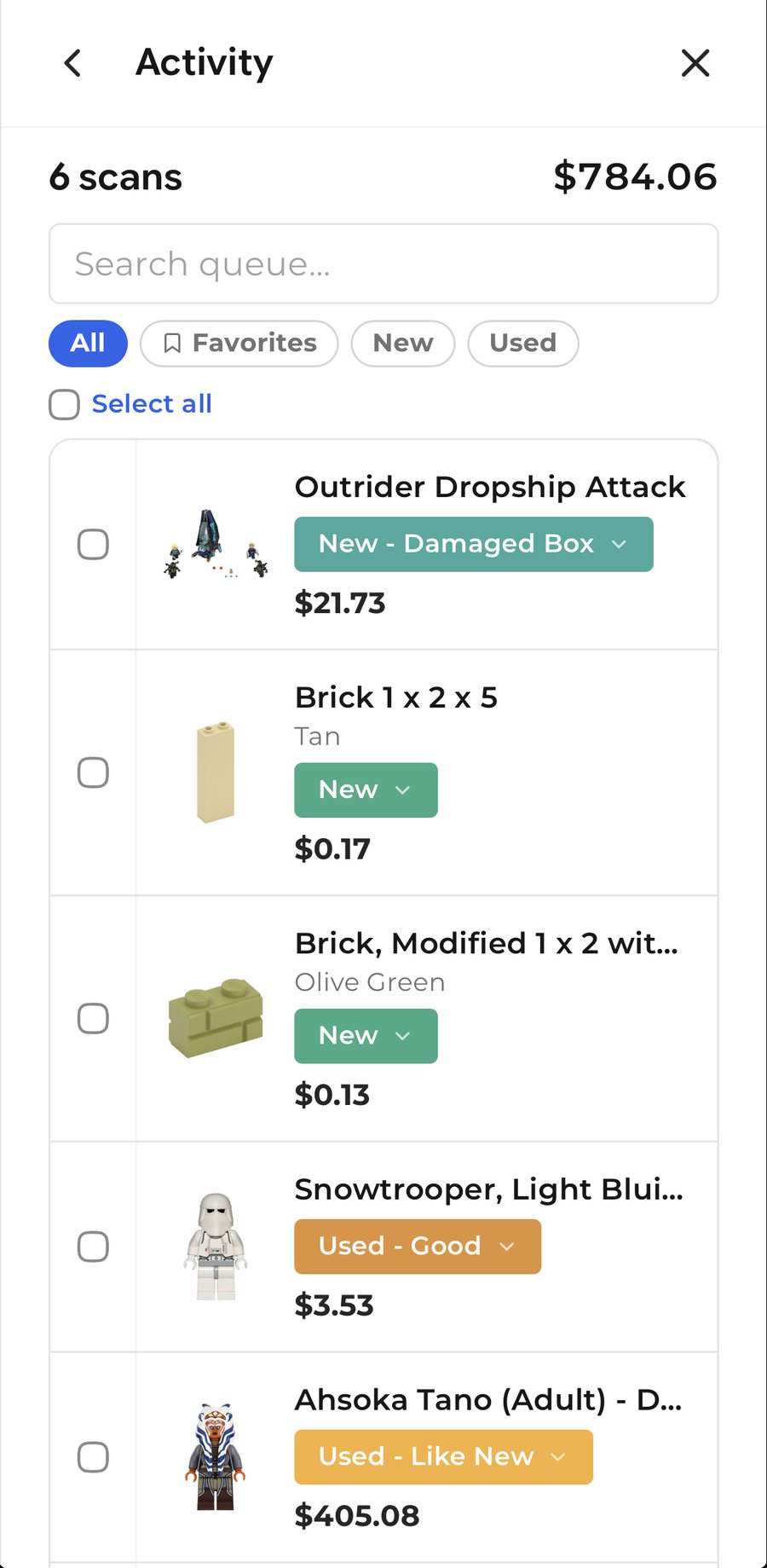
Item count, active time, and session value update with every scan. Undo is one tap away.
Search, filter by condition, favorite the keepers, group duplicates, set quantities, and mark what is sellable.
In-progress sessions survive closing the app or switching devices. The latest one waits on the home screen to pick up where you left off.
Type a BrickLink number, paste a list, or upload a CSV or BrickLink XML file. One list can mix parts, minifigures, and sets.
Every finished run is kept. Rename it, add notes, revisit the numbers, export it again later.
Total value, New vs Used split, scans, active and inactive time, and a condition breakdown.
Keep the photo from each scan, or add your own listing photos. Kept for 90 days on Pro.
Search when scanning is not the answer
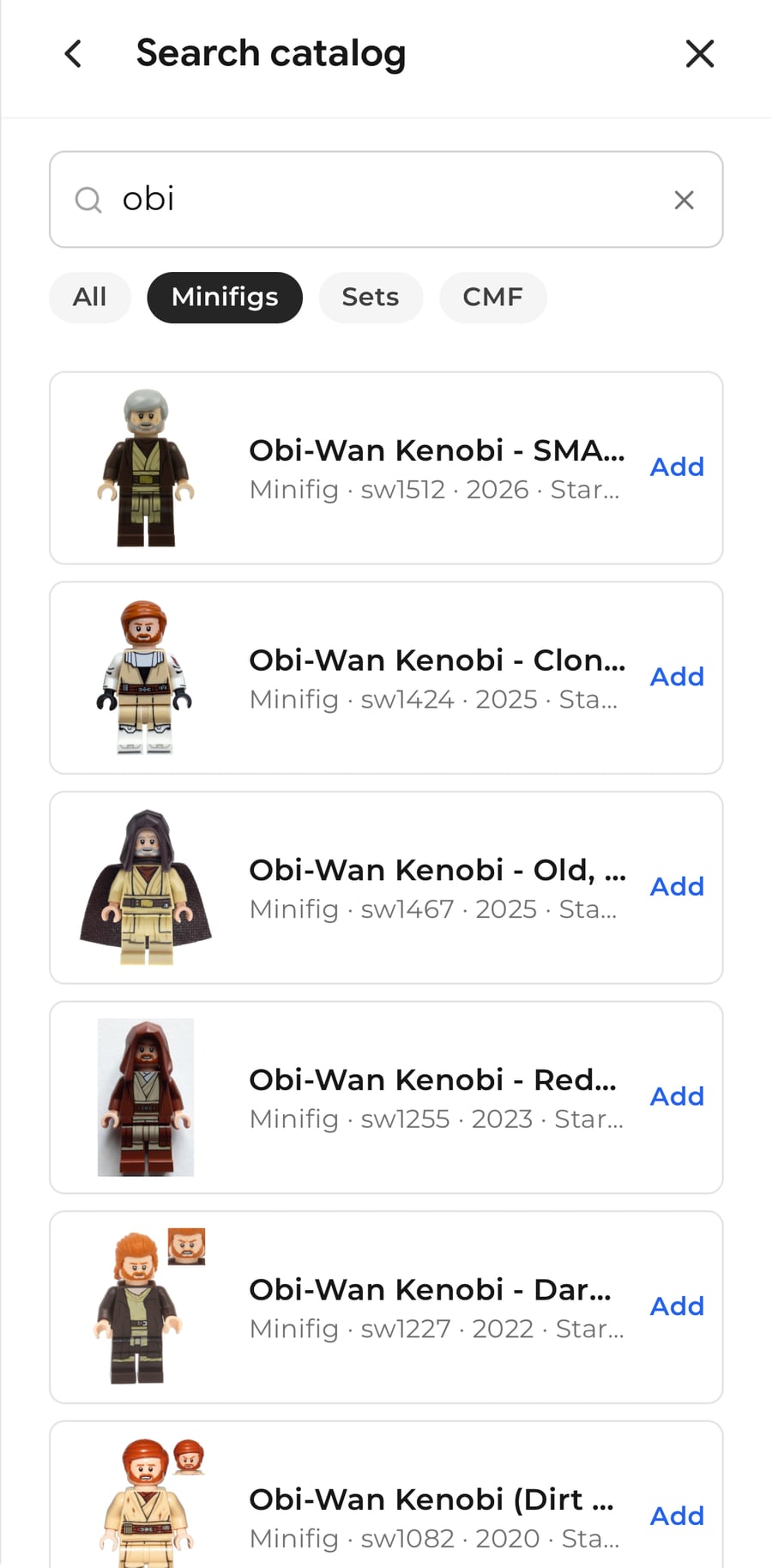
Some things you already know. A figure with a worn print, a part you have handled a hundred times, an item someone is asking about over chat. Type a name or a BrickLink number, typos and all, and add it to the session by ID. The hunt for that specific variant of clone is over.
Understand your work
Weekly Stats sit on the home screen so you see the week at a glance. Analytics goes deeper: sessions over time, value added, revenue and profit when you record lot costs, and how each session breaks down by condition.
Get it ready to sell
The point of sorting is listing. When a session is done, VueBrick turns it into the file your marketplace wants, with fees already accounted for.
Upload files for BrickLink, Brick Owl, eBay, Whatnot, Shopify, Facebook Marketplace, and WooCommerce. Set your shop defaults once and every export uses them.
Fee profiles for each marketplace so you see net, not just gross. Listing templates for what you sort. Share a session or a single result as a link.
Action items VueBrick builds as you sort: things to photograph, re-check, or list, so nothing slips between the pile and the shop.